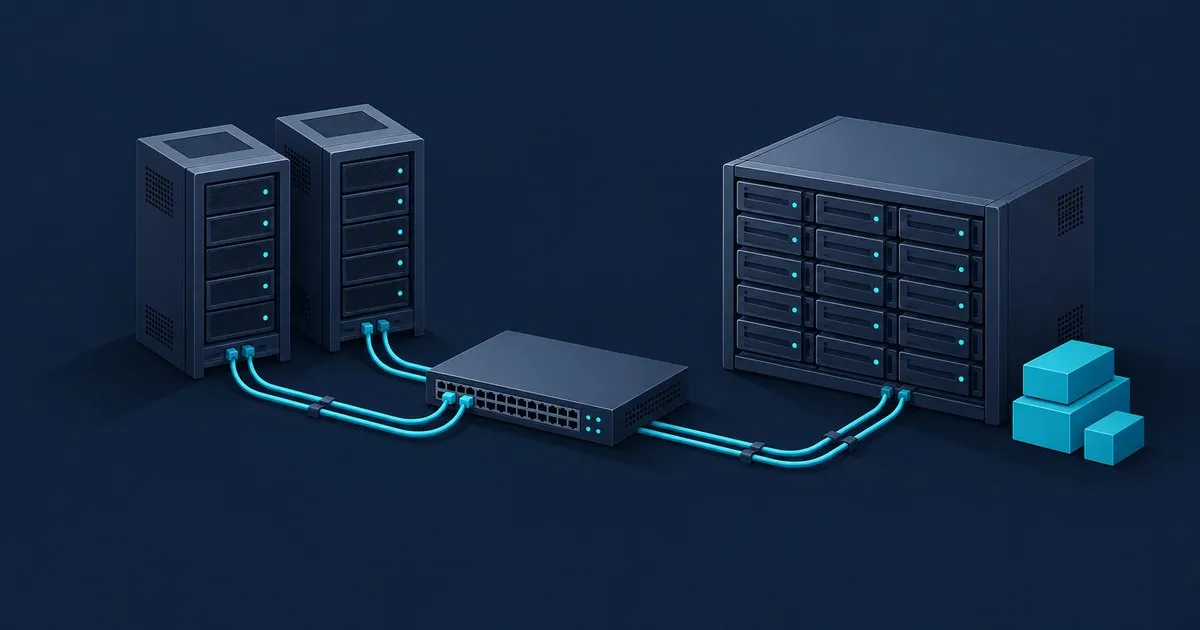
What is a SAN storage area network? It is a separate network built for one job: carrying block storage traffic between servers and the arrays that hold their disks. Servers stop owning their drives, the drives move into a shared array, and a dedicated fabric carries SCSI or NVMe commands across it so a volume in another rack still behaves like a local disk.
That last part is the whole point, and it is also where the design work hides. A SAN is not a faster file server. It is a different layer of the storage stack, with different failure modes and a different set of things you have to configure before anything mounts.
The definition, and the one clause that matters
SNIA defines a SAN as a specialised, high-speed network that provides network access to storage devices, typically composed of hosts, switches, storage elements and storage devices, and usually built on switched fabric technology such as Fibre Channel, Ethernet or InfiniBand (SNIA storage networking primer). The operative clause in that definition is the next one: a SAN presents storage devices to a host such that the storage appears to be locally attached.
The host sees /dev/sdb, or Disk 2 in Windows. It partitions that device, puts a filesystem on it, runs a database on it, and nothing above the block layer knows the flash is three metres and two switches away. Every other SAN concept exists to keep that illusion honest under failure.
Three parts make it up. The host side runs an initiator, either a Fibre Channel HBA or an ordinary NIC doing iSCSI or NVMe/TCP. The fabric is the switching between them. The array exports volumes, called LUNs in SCSI terms and namespaces in NVMe terms, and decides which initiator is allowed to see which one. IBM’s Introduction to Storage Area Networks (SG24-5470-08, published December 2017 and updated October 2018) remains the standing long-form treatment of that model if you want the full version.
SAN vs NAS: block devices versus a share
A NAS exports a filesystem. Clients mount a share over SMB or NFS, and the NAS arbitrates who is writing what. A SAN exports a raw block device and walks away. The host owns the filesystem, the locking and the consistency.
That difference has a sharp edge. A LUN belongs to one host at a time unless something above the block layer explicitly coordinates ownership. Point two servers at the same LUN, format it from both, and you get corruption rather than sharing. Concurrent access is a feature you have to add on purpose: Microsoft’s Cluster Shared Volumes exist so multiple nodes in a failover cluster can simultaneously have read-write access to the same LUN provisioned as an NTFS volume, with ReFS volumes falling back to redirected mode where writes go through the coordinator node (Microsoft Learn). VMware’s VMFS plays the same role for ESXi hosts.
So the real question is not which one is faster. It is whether the workload wants a file interface that somebody else arbitrates, or a block device it controls end to end. Databases, cluster quorum disks and boot volumes want blocks; hypervisor datastores can run on either, as iSCSI vs NFS for VMware datastores explains. Media libraries, home directories and shared project folders want a share and are usually worse off on a LUN. If that decision is being made on one box rather than across a fabric, TrueNAS iSCSI vs NFS vs SMB covers the same split at NAS scale.
The three transports you will be choosing between
Fibre Channel is the purpose-built option: dedicated HBAs, dedicated switches, endpoints identified by World Wide Name, and no general-purpose traffic sharing the wire. It buys isolation and predictability at the cost of separate hardware and a separate skill set.
iSCSI carries SCSI commands over ordinary TCP/IP, standardised in RFC 7143, the consolidated Proposed Standard that obsoletes RFC 3720. Every mainstream operating system ships an initiator, and on Linux the Open-iSCSI project provides a transport-independent implementation split between a userspace daemon and a kernel data path. This is how most small SANs actually get built, because the switching is already there.
NVMe over Fabrics carries the NVMe command set across a network instead of translating to SCSI. NVM Express publishes the architecture with separate transport specifications for PCIe, RDMA and TCP, and the current set, NVMe 2.4, was released on 4 August 2026 (NVM Express specifications). It presents namespaces to controllers rather than LUNs to targets, so the vocabulary and the host tooling change even when the cabling does not.
Picking between them depends on what the host OS and the array support together, not on which protocol has the better marketing. NVMe-oF vs iSCSI vs Fibre Channel works through the command models and fabric requirements.
What you actually have to configure
A SAN is three access controls stacked on top of each other, and they live in three different places.
| Control | Configured on | Question it answers |
|---|---|---|
| Zoning | Fibre Channel switches | May these host and storage ports communicate? |
| LUN masking | Storage array | Which volumes may this initiator use? |
| Multipathing | Host storage stack | Which of the available paths carries this I/O? |
Zoning is fabric policy. Masking is array policy. Neither substitutes for the other, and a LUN that is masked correctly but unzoned is invisible in a way that looks identical to a permissions problem. Multipathing is the one people skip, and skipping it means a single optic, cable or switch reboot takes the application down. SAN fabrics, zoning, LUN masking and multipathing goes through the order to configure and verify them in.
One thing worth knowing before you start: neither iSCSI nor Fibre Channel encrypts traffic by default. Storage traffic belongs on isolated VLANs or physically separate switching, not on the same broadcast domain as user machines.
Do you actually need one?
For a single server, no. Local NVMe is faster, simpler and has fewer failure domains than anything reachable over a network. A SAN earns its complexity when more than one host has to reach the same block storage: live migration and HA restart in a hypervisor cluster, a clustered application that needs a shared quorum disk, boot from SAN for stateless hosts, or consolidating capacity that is stranded inside individual servers.
The cheap way to learn the model is to build a small iSCSI one. Windows Server includes the iSCSI Target Server role service, Linux has LIO in-kernel, and any spare machine can present a LUN to a second machine over a VLAN you already own. What is an iSCSI LUN? Targets, initiators and MPIO covers the naming, login and multipath steps.
Related on this site
Related across the network
- What Is an iSCSI LUN? Targets, Initiators and MPIO — iscsihub.com
- iSCSI Troubleshooting: Login, Timeout and Path Errors — iscsihub.com
- iSCSI vs NFS vs SMB: Choosing a Storage Protocol — iscsihub.com


